“What should I do today?”
Your plan is built from your answers: goal, days, time, equipment and areas to protect.
Answer a few questions and get your plan. Every session, Alzu tells you which exercise is next, how many sets, how many reps and how much weight. And when it's time to go up.
Coming soon on the App Store. The beta isn't open yet: email us and we'll send you an invite as soon as it is.
Alzu is built for people who are just starting, or coming back after a long break. No jargon, no need to ask anyone.
“What should I do today?”
Your plan is built from your answers: goal, days, time, equipment and areas to protect.
“How much weight? When do I go up?”
It suggests a starting weight, fine-tunes it with you on day one and tells you when to go up: once you hit all your reps.
“I can't tell if I'm improving”
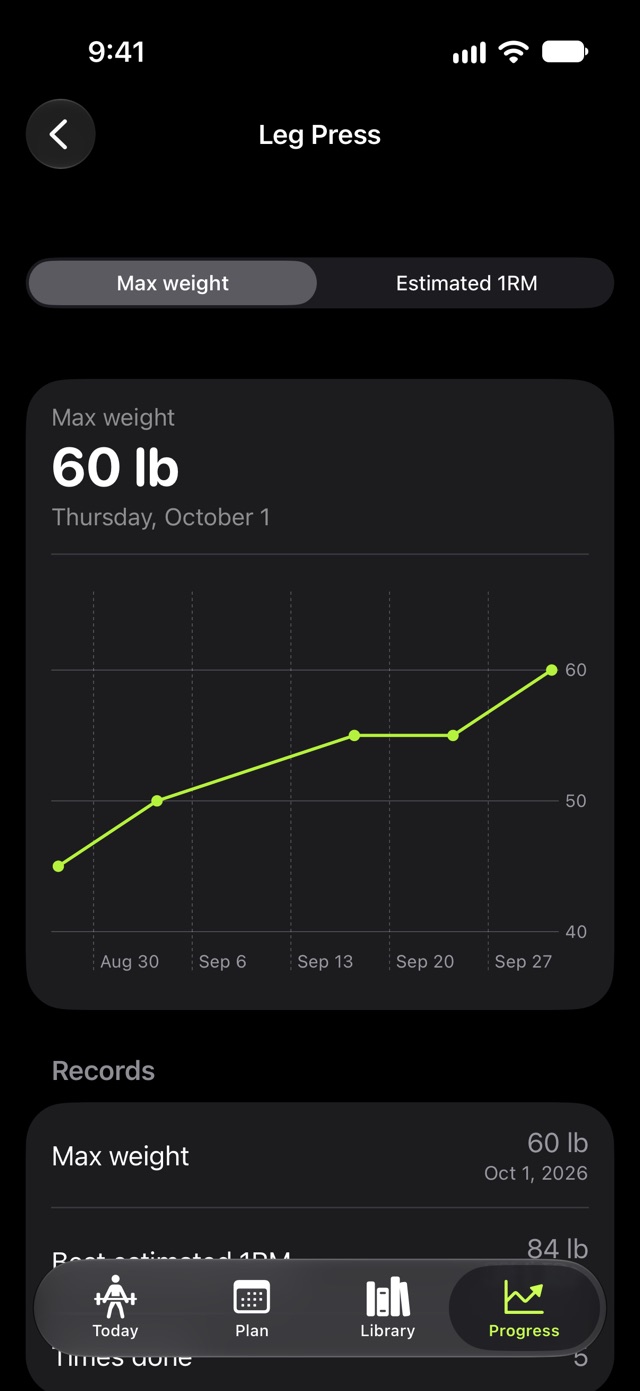
Records, charts and a weekly streak so you can see your consistency at a glance.
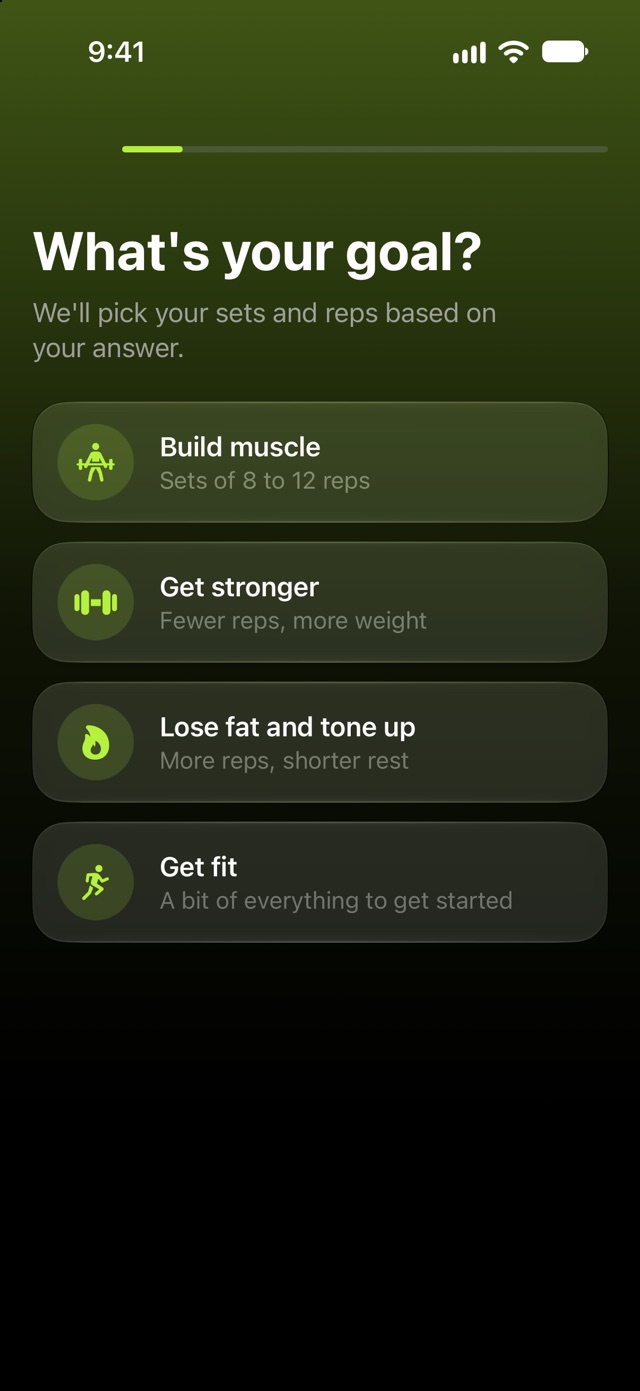
Your goal, your experience, which days you can go, how much time you have and where you train.
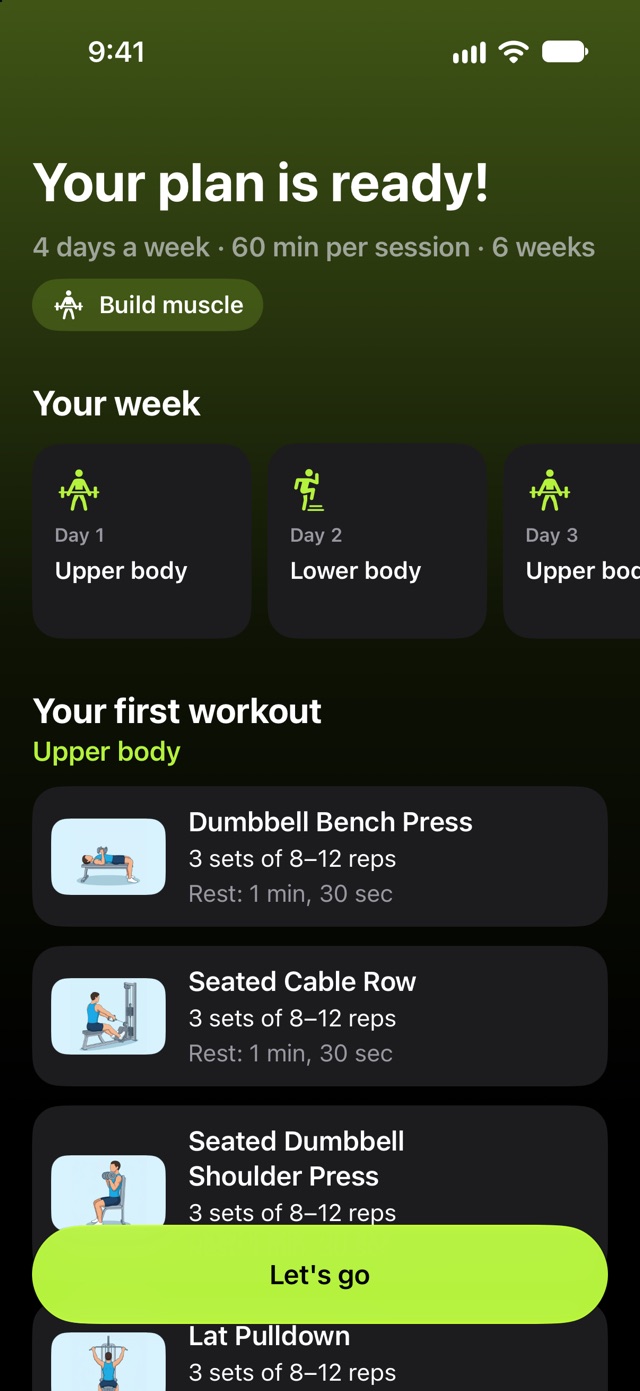
A 6-week block with your weekly split, exercises, sets, reps and rest times.
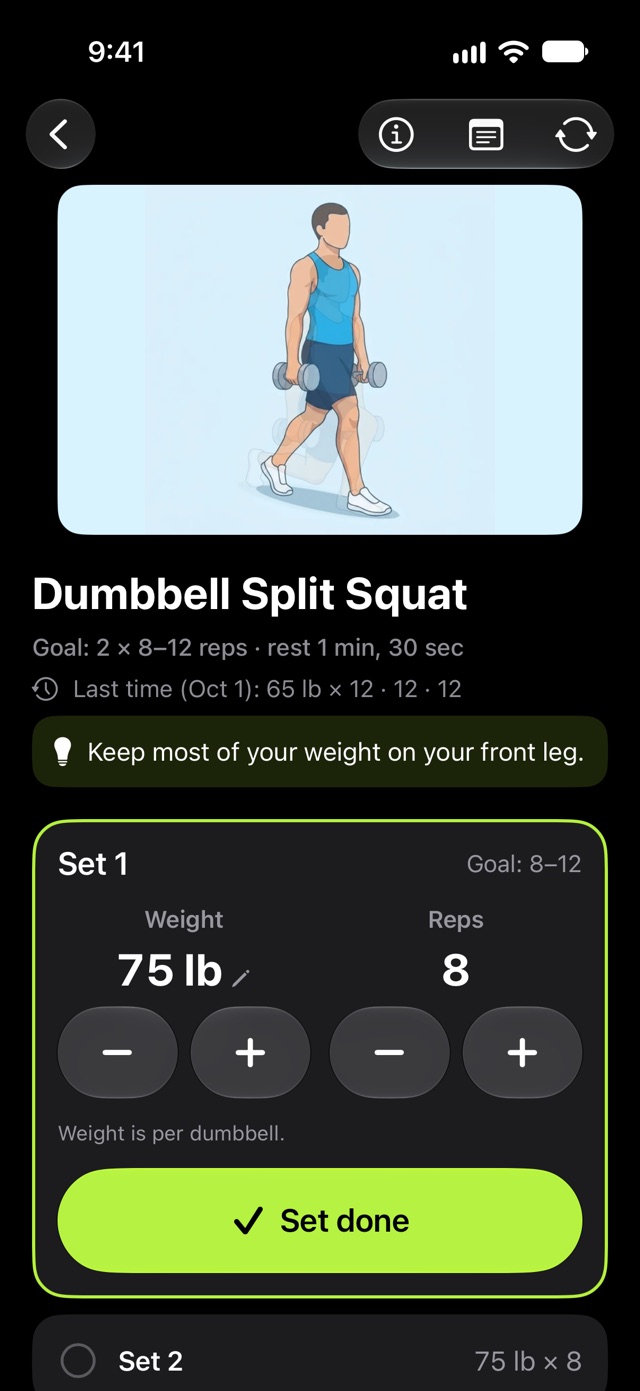
Check off each set, see what you did last time and let the app adjust your weights.
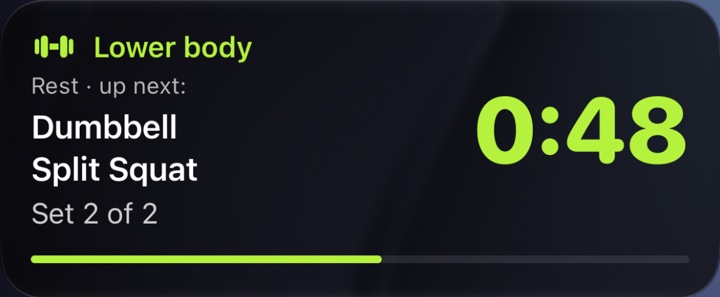
The countdown stays on your Lock Screen, with the next exercise and set.
Records and a chart for every exercise, so you can see your progress without spreadsheets.
One screen per exercise, with big controls made for sweaty hands and short rests.
Lock your phone between sets. The countdown stays there, with the next exercise and set.
Every set you log becomes history. No spreadsheets.
Starting is easy; sticking with it is the hard part. Alzu celebrates what you do and doesn't punish you for an off week.
Counts the weeks you hit your training days. Every 6 weeks you get one week of slack, so one off week won't break it.
Your first workout, 10, 25, 50 and 100 workouts, the total weight you’ve lifted… They stay even if you change plans.
At the start of each week, see how many times you trained, how much you lifted and your most improved exercise. With an optional reminder.
Been away for a while? When you come back, the app welcomes you with no guilt trip and you pick up your plan.
2 to 5 days, 30 to 75 minutes, at the gym or at home.
The app suggests going up or adjusting based on your sets.
Avoids exercises that load shoulders, knees, lower back or wrists the most, if you ask.
On your Lock Screen, in the Dynamic Island and with vibration.
Today's workout and your streak on your Home Screen.
On the days you choose, at the time you prefer.
With an easy week at the end and new variations in the next block.
A summary image, ready for your stories.
After each workout, tell the app how it went. If it was hard or something hurt, the weight doesn’t go up. And if something hurt, stop and see a professional.
Different days, goal or equipment: your plan is rebuilt and you keep your history, records and weights.
If you want, your workouts and body weight are saved to the Health app. On iPhone, Alzu doesn’t read anything from Health; on Apple Watch it only reads your heart rate during the workout, to show it to you.
Turn it on and your iPhone won’t lock while you train.
Alzu uses double progression, a simple, classic method. First you add reps; once you hit them all, you add weight.
3 sets of 8 to 12 reps · weight per dumbbell
Illustrative example. Everyone progresses at their own pace.
You log what you do; the app suggests the next step.
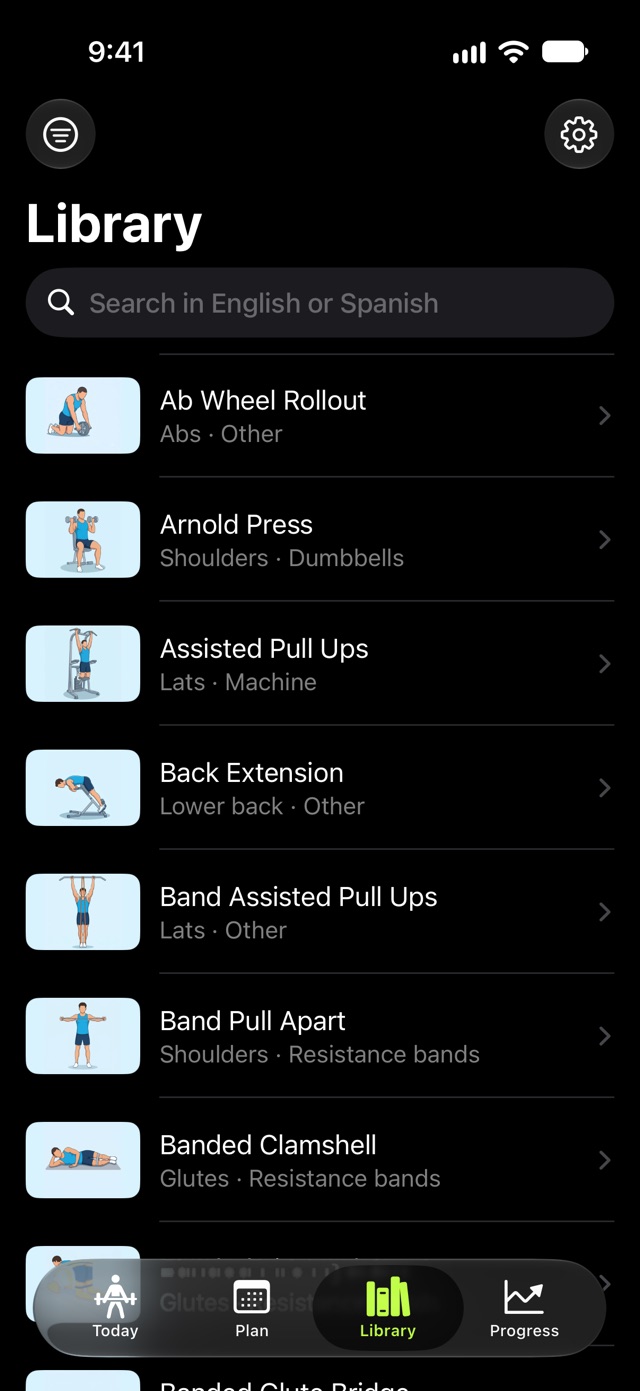
Search in English or Spanish, filter by muscle, equipment and level, and see how each one is done. No subscription needed.
Alzu has no servers storing your data. Everything stays on your iPhone and in your iCloud.
Your plan, sets and records are stored on your iPhone and, as a copy, in your iCloud. Only you can see them.
No sign-up, no passwords. Open the app and start.
We don't sell or share your data. Not now, not ever.
Your first workouts (as many as your plan has days, 2 to 5) are free, with everything included. No card needed. Then keep going with Alzu Premium to keep your plan, workout mode and progress.
$39.99 / year
Just $3.33 a month
$7.99 / month
No commitment
The 452-exercise library is always free. Download the app and use it without paying, even if you don't subscribe.
You subscribe inside the app, not on this website. US prices shown; other countries see local pricing in the App Store. Your first free workouts (as many as your plan has days per week) don't require a subscription: nothing is charged when they end unless you subscribe. Subscriptions renew automatically unless canceled at least 24 hours before the end of the period, in your iPhone settings.
No. Alzu is designed for people who are starting out or coming back after a long break. If you've never lifted, your plan starts with fewer sets for the first two weeks.
Yes. Choose a full gym, a basic gym, home with dumbbells or home with no equipment, and your plan will only use exercises you can do.
The first time you do an exercise, Alzu suggests a light starting weight based on your equipment (for example, the empty bar or a light dumbbell) and, after each set that day, asks how it went (easy, fine or hard) to adjust it. From then on, it suggests going up when you hit all your reps.
No. Alzu helps you organize your workouts but it doesn't replace a professional. If you have an injury or a medical condition, check with one before you start. If you feel pain during an exercise, stop and see a professional.
On your iPhone and, as a copy, in your private iCloud, so you don't lose it when you switch phones. There are no accounts and no servers of ours: we can't see your data. Purchases are handled by Apple through the App Store. You can delete it anytime from Settings > Delete my data inside the app.
No. Your first workouts (as many as your plan has days, 2 to 5) are free and don’t ask for any payment. If you want to keep going, you subscribe in the app.
You can subscribe to keep your plan, workout mode and progress. If you don’t, nothing is charged: your history and records stay saved on your iPhone and the exercise library is still free.
In iPhone Settings > your name > Subscriptions, or from Settings inside Alzu. You can cancel anytime.
Yes, if you want. Alzu saves each finished workout and, if you turn it on, your body weight to the Health app. On iPhone it doesn’t read anything from Health; on Apple Watch it only reads your heart rate during the workout, to show it to you, and doesn’t store or send it. You can turn it off anytime in Settings > Apple Health.
An iPhone running iOS 26 or later. The countdown shows on the Lock Screen on all of them, and in the Dynamic Island on models that have one.
Alzu is for iPhone. The Apple Watch app is coming during the beta. There is no Android version. If you'd like one, let us know.
The beta isn't open yet. Email us and we'll send you the TestFlight invite as soon as it is.
I want to try the betaComing soon on the App Store · For iPhone with iOS 26 or later